
To run ESLint as a client-side tool:
- Enable ESLint and configure the corresponding code patterns on your repository Code patterns page.
-
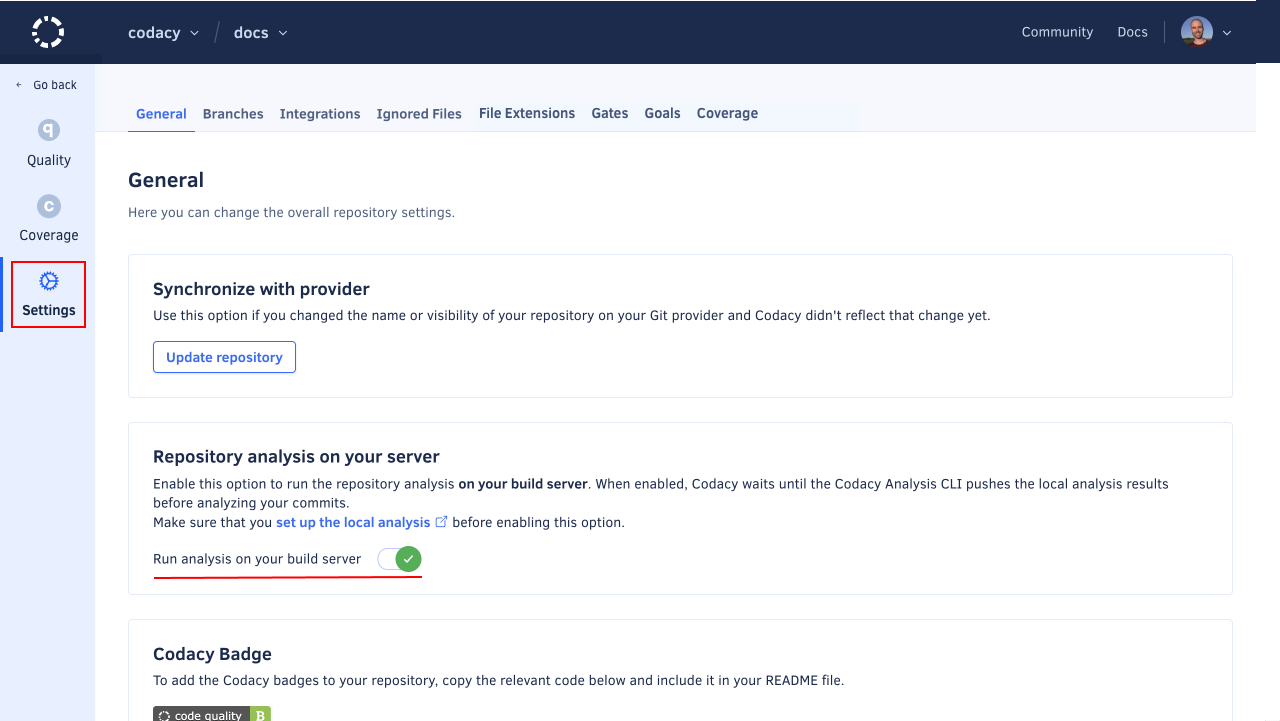
Enable Run analysis on your build server on your repository Settings, tab General, Repository analysis on your server.
This setting enables Codacy to wait for the results of the local analysis before resuming the analysis of your commits.
-
Set up an API token to authenticate on Codacy:
-
If you're setting up one repository, obtain a repository API token and set the following environment variable to specify your repository API token:
export CODACY_PROJECT_TOKEN=<your repository API token> -
If you're setting up multiple repositories, obtain an account API Token and set the following environment variable to specify the account API token:
export CODACY_API_TOKEN=<your account API token>
Warning: Never write API tokens to your configuration files and keep your API tokens well protected, as they grant owner permissions to your projects on Codacy.
It's a best practice to store API tokens as environment variables. Check the documentation of your CI/CD platform on how to do this.
-
-
If you're using Codacy Self-hosted set the following environment variable to specify your Codacy instance URL:
export CODACY_API_BASE_URL=<your Codacy instance URL>
Important Concepts
-
.codacy/codacy.yaml: Configuration file to specifynodeandeslintversions for the CLI.
runtimes:
    - node@22.2.0
tools:
    - eslint@9.3.0
Manual configuration
codacy-cli install
codacy-cli analyze -t eslint -o eslint.sarif
codacy-cli upload -s eslint.sarif -c $COMMIT_SHA -t CODACY_PROJECT_TOKEN
If you're using an account API token, you must also provide the flags -p, -o, and -r. You can obtain the values for these flags from the URL of your repository dashboard on Codacy:
codacy-cli install
codacy-cli analyze -t eslint -o eslint.sarif
codacy-cli analyze -t eslint -o eslint.sarif -c $COMMIT_SHA -a CODACY_API_TOKEN -p provider (gh|gl|bb) -o ORGANIZATION -r REPOSITORY
GitHub Action
Using a project token
- name: Run Codacy CLI
  uses: codacy/codacy-cli-v2-action@main
  with:
    project-token: CODACY_PROJECT_TOKEN
    tool: eslint
    upload_report: true
Using an account API token
- name: Run Codacy CLI
  uses: codacy/codacy-cli-v2-action@main
  with:
    api_token: CODACY_API_TOKEN
    tool: eslint
    upload_report: true
    provider: gh
    owner: codacy-acme
    repository: sample-javascript-project
Tokens should be stored in the repository secrets.
0 Comments